> ## Documentation Index
> Fetch the complete documentation index at: https://docs.valkyrieapp.azumo.com/llms.txt
> Use this file to discover all available pages before exploring further.
# API Keys
> Create and manage the keys applications and agents use to call Valkyrie.
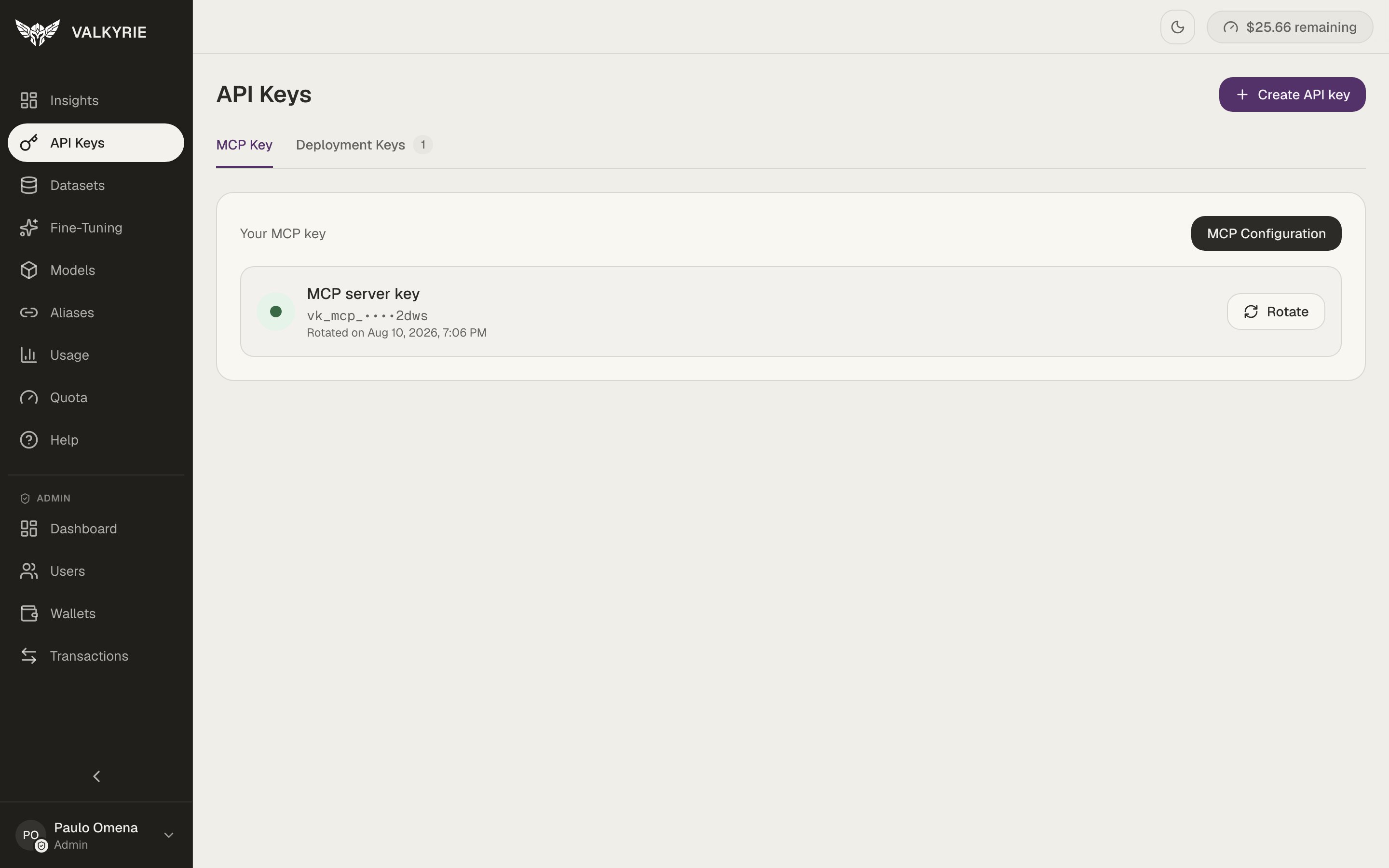
The **API Keys** screen is where you manage the keys that authenticate machine
access to Valkyrie. It has two tabs: **MCP Key** and **Deployment Keys**.
 ## MCP key
You have a single **MCP server key** (prefixed `vk_mcp_`) used to connect the
[MCP server](/mcp/overview). Rather than creating many, you **rotate** it when you
need a fresh secret, the old value stops working once rotated. The **MCP
Configuration** button gives you the ready-to-paste connection settings for your
client.
## Deployment keys
The **Deployment Keys** tab holds the keys (prefixed `vk_dep_`) that call your
deployed models. Create one with **+ Create API key**.
A key's full value is shown only once, at creation. Copy it into your secret
manager or environment immediately, you can't view it again, only rotate or
revoke it.
## Using a key
Send the key in the `X-API-Key` header (the OpenAI SDKs send it as a bearer token,
which is also accepted):
```bash theme={null}
curl https://valkyrie-back.azumo.com/{deployment_slug}/v1/chat/completions \
-H "X-API-Key: $VALKYRIE_API_KEY" \
-H "Content-Type: application/json" \
-d '{"model": "{deployment_slug}", "messages": [{"role":"user","content":"Hi"}]}'
```
Keys are environment-specific, a key issued in one environment won't work against
another.
## MCP key
You have a single **MCP server key** (prefixed `vk_mcp_`) used to connect the
[MCP server](/mcp/overview). Rather than creating many, you **rotate** it when you
need a fresh secret, the old value stops working once rotated. The **MCP
Configuration** button gives you the ready-to-paste connection settings for your
client.
## Deployment keys
The **Deployment Keys** tab holds the keys (prefixed `vk_dep_`) that call your
deployed models. Create one with **+ Create API key**.
A key's full value is shown only once, at creation. Copy it into your secret
manager or environment immediately, you can't view it again, only rotate or
revoke it.
## Using a key
Send the key in the `X-API-Key` header (the OpenAI SDKs send it as a bearer token,
which is also accepted):
```bash theme={null}
curl https://valkyrie-back.azumo.com/{deployment_slug}/v1/chat/completions \
-H "X-API-Key: $VALKYRIE_API_KEY" \
-H "Content-Type: application/json" \
-d '{"model": "{deployment_slug}", "messages": [{"role":"user","content":"Hi"}]}'
```
Keys are environment-specific, a key issued in one environment won't work against
another.