> ## Documentation Index
> Fetch the complete documentation index at: https://docs.valkyrieapp.azumo.com/llms.txt
> Use this file to discover all available pages before exploring further.
# Data
> Upload your examples, check their format, and see which models they taught.
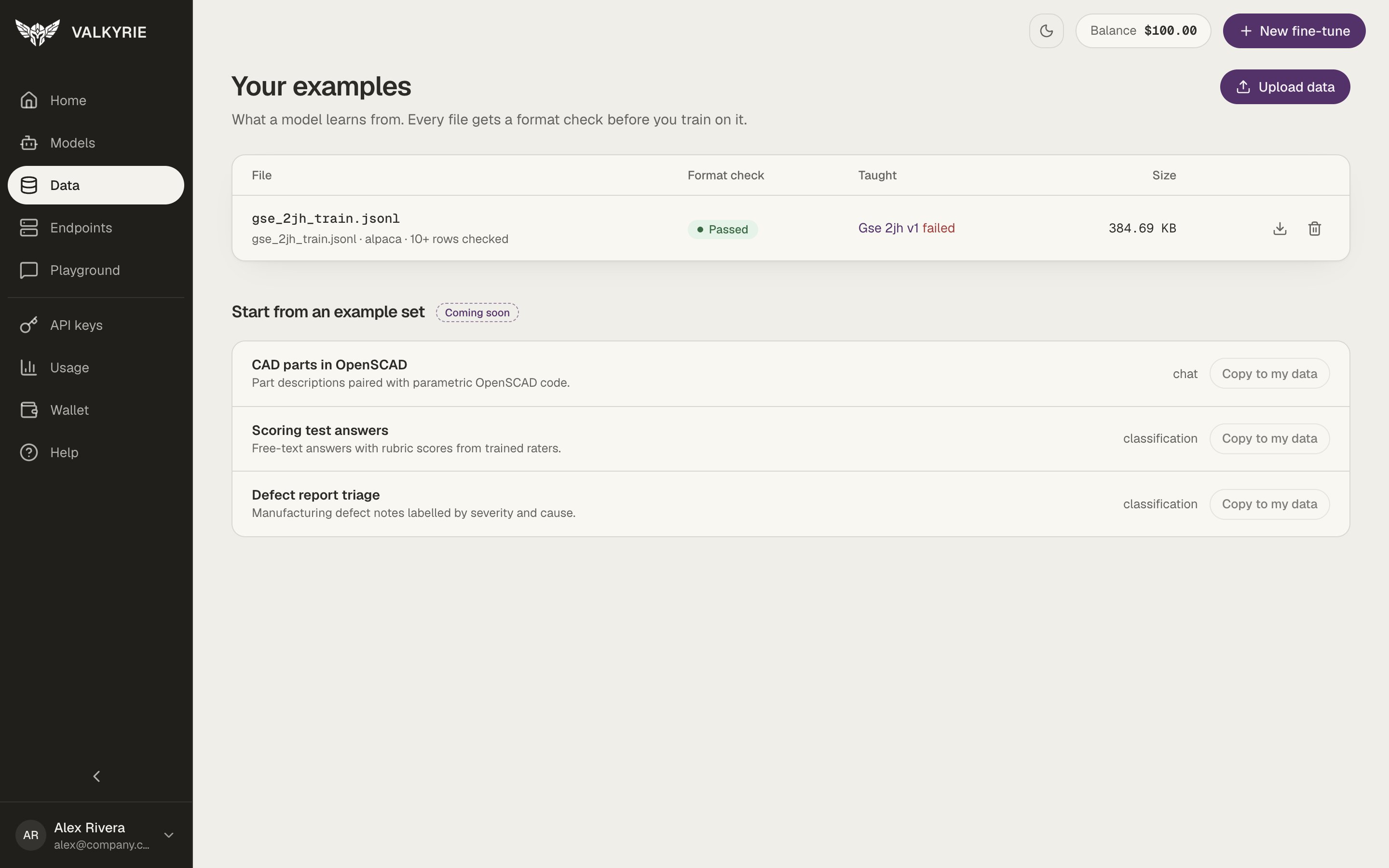
The **Data** screen, titled **Your examples**, holds the files your models learn
from. Every file gets a format check before you train on it. For tips on preparing
a good dataset, see the [Datasets](/guides/datasets) guide.
 ## The file list
Each row shows:
| Column | What it shows |
| - | - |
| **File** | The file name, its detected format, and how many rows were checked |
| **Format check** | **Passed**, **N warnings**, **Needs fixing**, or **Not checked** |
| **Taught** | The model versions trained on this file, with their status |
| **Size** | The file size |
Use the icons at the end of a row to download or delete the file. **Upload data**
at the top right adds a new one. Ready-made example sets ("Start from an example
set") are marked **Coming soon**.
## A dataset's page
Click a file to open it.
## The file list
Each row shows:
| Column | What it shows |
| - | - |
| **File** | The file name, its detected format, and how many rows were checked |
| **Format check** | **Passed**, **N warnings**, **Needs fixing**, or **Not checked** |
| **Taught** | The model versions trained on this file, with their status |
| **Size** | The file size |
Use the icons at the end of a row to download or delete the file. **Upload data**
at the top right adds a new one. Ready-made example sets ("Start from an example
set") are marked **Coming soon**.
## A dataset's page
Click a file to open it.
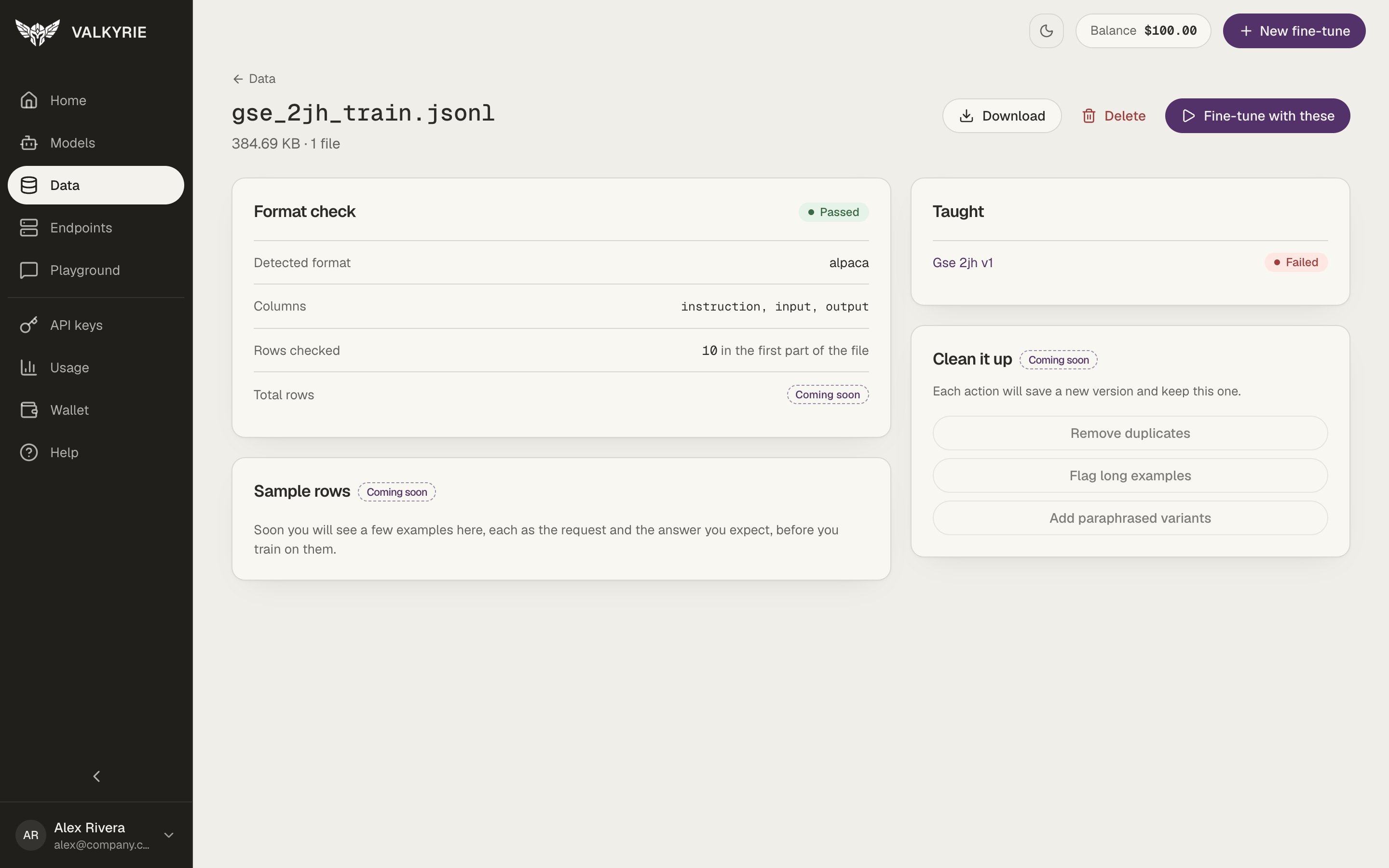 * **Format check** shows the result, the **Detected format** (for example alpaca or
chat), the **Columns** found, and the **Rows checked** in the first part of the
file. The total row count is marked **Coming soon**.
* **Taught** lists every model version trained on this file, with its status. Click
one to open it in [Models](/dashboard/models).
* **Sample rows** and **Clean it up** (remove duplicates, flag long examples, and
more) are marked **Coming soon**.
The buttons at the top are **Download**, **Delete**, and **Fine-tune with these**,
which opens [New fine-tune](/dashboard/fine-tuning) with this file selected.
Deleting a file does not affect models you have already trained from it.
## Upload examples
Click **Upload data** to open **Upload examples**.
* **Format check** shows the result, the **Detected format** (for example alpaca or
chat), the **Columns** found, and the **Rows checked** in the first part of the
file. The total row count is marked **Coming soon**.
* **Taught** lists every model version trained on this file, with its status. Click
one to open it in [Models](/dashboard/models).
* **Sample rows** and **Clean it up** (remove duplicates, flag long examples, and
more) are marked **Coming soon**.
The buttons at the top are **Download**, **Delete**, and **Fine-tune with these**,
which opens [New fine-tune](/dashboard/fine-tuning) with this file selected.
Deleting a file does not affect models you have already trained from it.
## Upload examples
Click **Upload data** to open **Upload examples**.
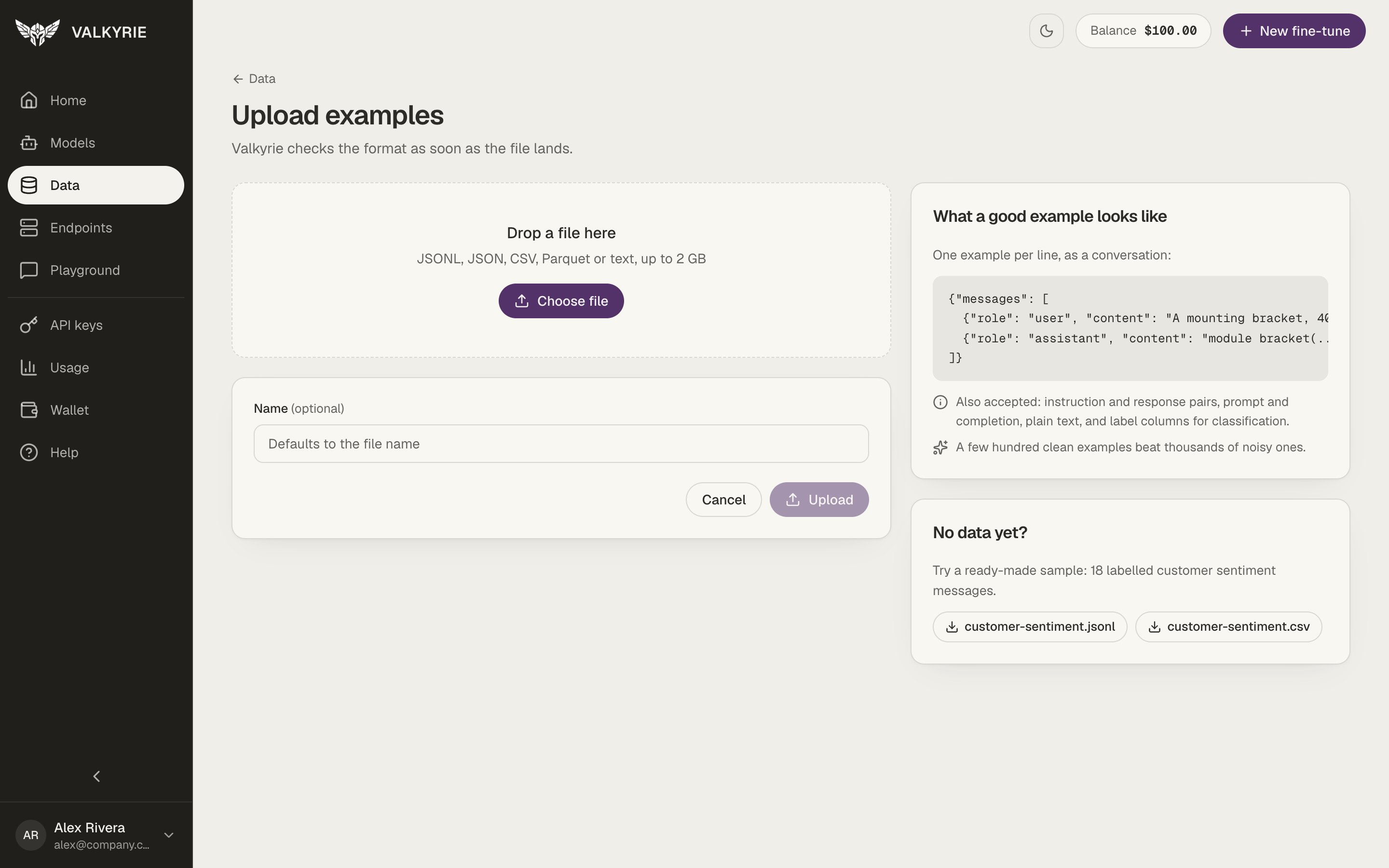 Drop a file on the page or click **Choose file**. Valkyrie accepts JSONL, JSON,
CSV, Parquet, or text files up to 2 GB.
The name defaults to the file name.
Click **Upload**. Valkyrie checks the format as soon as the file lands and opens
the dataset's page with the result.
The page also shows **What a good example looks like**: one example per line, as a
conversation:
```json theme={null}
{"messages": [
{"role": "user", "content": "..."},
{"role": "assistant", "content": "..."}
]}
```
Instruction and response pairs, prompt and completion, plain text, and label columns
for classification are accepted too.
No data yet? Download the ready-made sample, `customer-sentiment.jsonl` or
`customer-sentiment.csv`, from the **No data yet?** card and upload it to try the
whole flow.
This documentation is built and hosted on [Mintlify](https://mintlify.com), a developer documentation platform.
Drop a file on the page or click **Choose file**. Valkyrie accepts JSONL, JSON,
CSV, Parquet, or text files up to 2 GB.
The name defaults to the file name.
Click **Upload**. Valkyrie checks the format as soon as the file lands and opens
the dataset's page with the result.
The page also shows **What a good example looks like**: one example per line, as a
conversation:
```json theme={null}
{"messages": [
{"role": "user", "content": "..."},
{"role": "assistant", "content": "..."}
]}
```
Instruction and response pairs, prompt and completion, plain text, and label columns
for classification are accepted too.
No data yet? Download the ready-made sample, `customer-sentiment.jsonl` or
`customer-sentiment.csv`, from the **No data yet?** card and upload it to try the
whole flow.
This documentation is built and hosted on [Mintlify](https://mintlify.com), a developer documentation platform.