> ## Documentation Index
> Fetch the complete documentation index at: https://docs.valkyrieapp.azumo.com/llms.txt
> Use this file to discover all available pages before exploring further.
# Fine-Tuning screen
> Create and monitor training jobs from the dashboard.
The **Fine-Tuning** screen is where you create training jobs, watch their progress,
and get to their outputs. For the concepts behind it, see the
[Fine-tune a model](/guides/fine-tuning) guide.
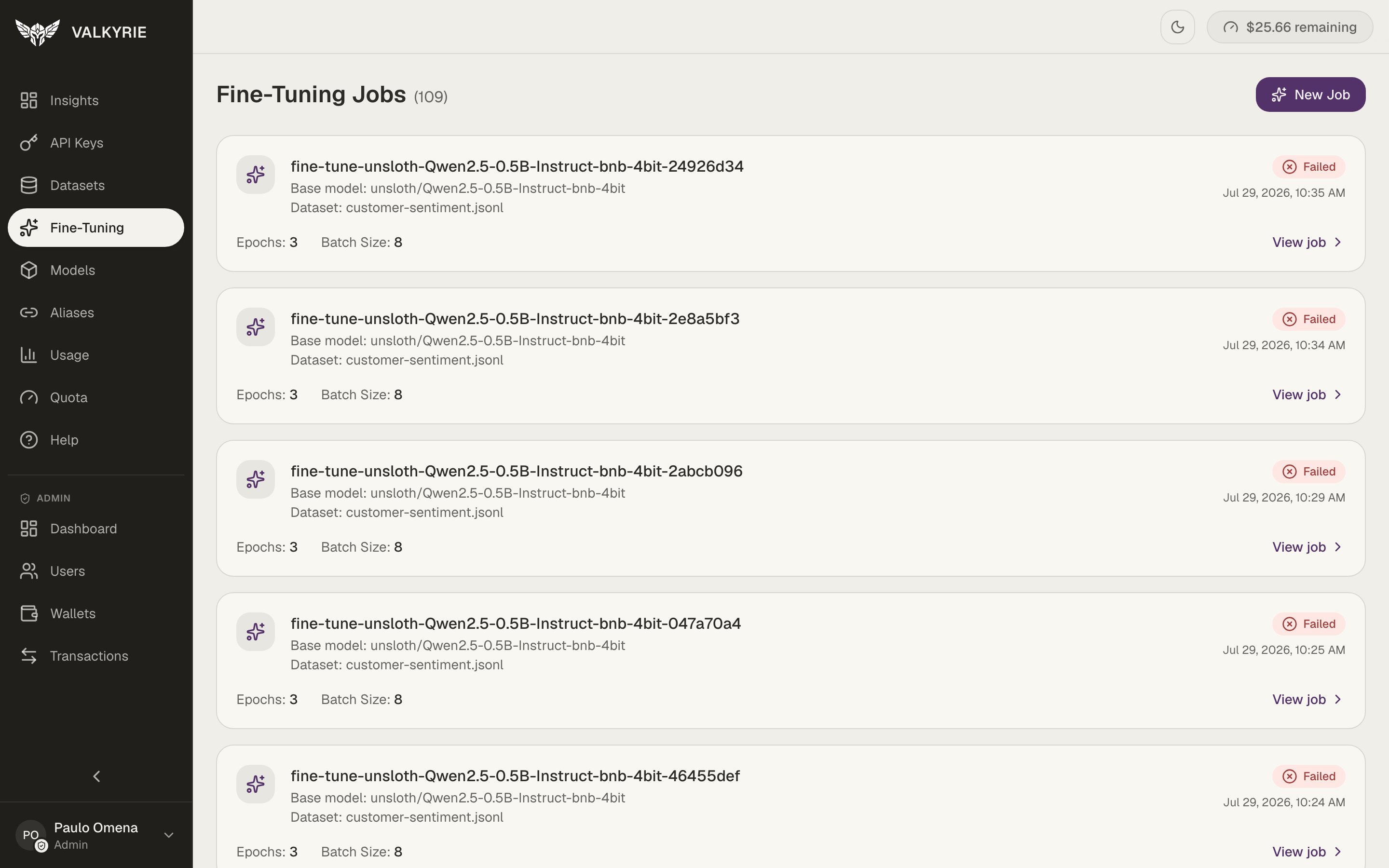 Each job card shows its base model, dataset, key training settings (epochs, batch
size), status, and a **View job** link for logs and outputs.
## Create a job
Choose the open base model to fine-tune and the [dataset](/guides/datasets) to
train on.
Valkyrie schedules the job, provisions a GPU, and runs the training.
## Monitor
Jobs show their current state as they progress:
```
pending → scheduled → running → completed / failed
```
You can stream logs while a job runs to follow training progress.
## Outputs and next steps
When a job completes, open it to:
* **Download outputs** (trained weights or adapters) via temporary signed URLs.
* **Deploy** the fine-tuned model directly to a serving endpoint.
## Recover a failed job
Because jobs run on ephemeral cloud GPUs, transient failures happen. Use **retry** or
**recover** to reschedule a job onto fresh hardware without recreating it.
Each job card shows its base model, dataset, key training settings (epochs, batch
size), status, and a **View job** link for logs and outputs.
## Create a job
Choose the open base model to fine-tune and the [dataset](/guides/datasets) to
train on.
Valkyrie schedules the job, provisions a GPU, and runs the training.
## Monitor
Jobs show their current state as they progress:
```
pending → scheduled → running → completed / failed
```
You can stream logs while a job runs to follow training progress.
## Outputs and next steps
When a job completes, open it to:
* **Download outputs** (trained weights or adapters) via temporary signed URLs.
* **Deploy** the fine-tuned model directly to a serving endpoint.
## Recover a failed job
Because jobs run on ephemeral cloud GPUs, transient failures happen. Use **retry** or
**recover** to reschedule a job onto fresh hardware without recreating it.