> ## Documentation Index
> Fetch the complete documentation index at: https://docs.valkyrieapp.azumo.com/llms.txt
> Use this file to discover all available pages before exploring further.
# Dashboard overview
> A tour of the Valkyrie web dashboard and its screens.
The Valkyrie dashboard is the web app for people (as opposed to the
[API](/api-reference/introduction) and [MCP server](/mcp/overview) for machines).
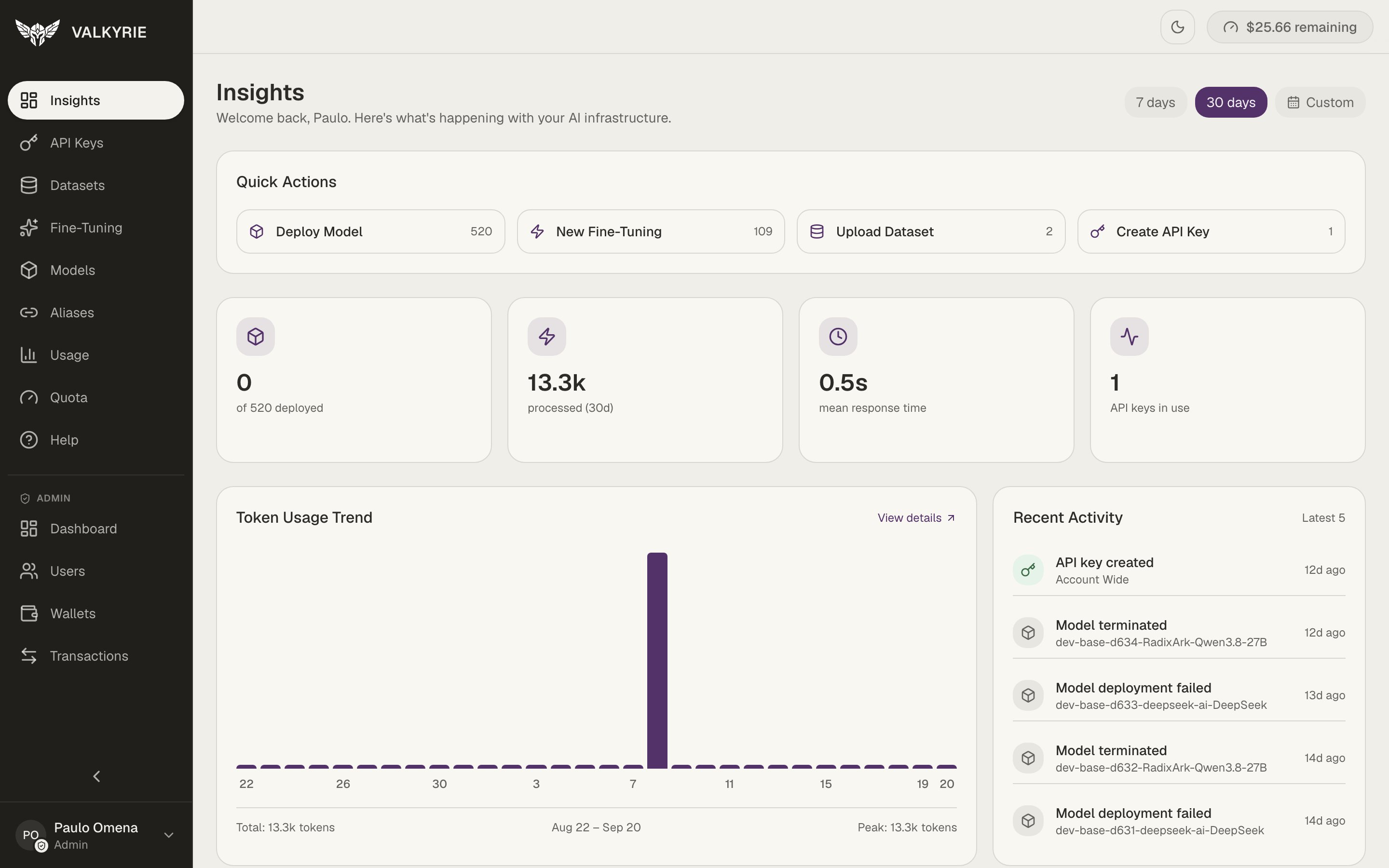
After you sign in you land on **Insights**, a summary of your account with quick
actions, headline stats, a token-usage trend, and recent activity.
 ## The navigation
The left sidebar groups everything you can do:
| Screen | What it's for |
| --------------- | ------------------------------------------------------------------------------ |
| **Insights** | Account summary, quick actions, usage trend, recent activity |
| **API Keys** | Create and manage MCP and deployment keys, see [API Keys](/dashboard/api-keys) |
| **Datasets** | Upload and manage training data, see [Datasets](/guides/datasets) |
| **Fine-Tuning** | Create and monitor training jobs, see [Fine-Tuning](/dashboard/fine-tuning) |
| **Models** | Deploy and operate models, see [Models](/dashboard/models) |
| **Aliases** | Give deployments memorable URLs, see [Aliases](/guides/aliases) |
| **Usage** | Per-request telemetry, see [Usage](/dashboard/usage) |
| **Quota** | Prepaid balance and charges, see [Quota](/dashboard/quota) |
| **Help** | In-app guides and support |
Administrators also see an **Admin** section (Dashboard, Users, Wallets,
Transactions).
Your current balance is always visible in the top bar (e.g. **\$25.66 remaining**),
and a theme toggle switches between light and dark.
## Help center
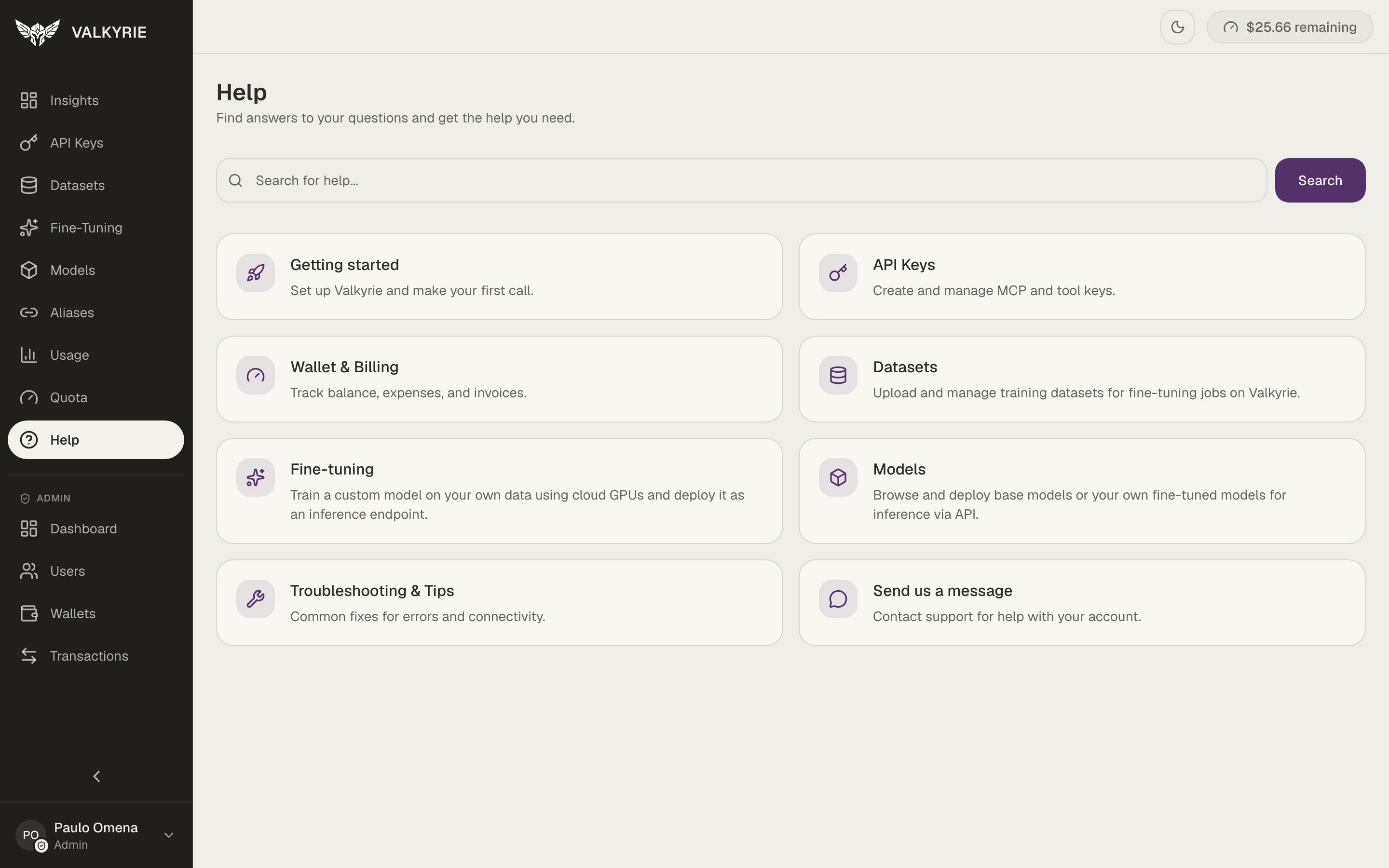
The **Help** screen has searchable, in-app guides covering getting started, API
keys, wallet & billing, datasets, fine-tuning, models, and troubleshooting, plus a
way to contact support.
## The navigation
The left sidebar groups everything you can do:
| Screen | What it's for |
| --------------- | ------------------------------------------------------------------------------ |
| **Insights** | Account summary, quick actions, usage trend, recent activity |
| **API Keys** | Create and manage MCP and deployment keys, see [API Keys](/dashboard/api-keys) |
| **Datasets** | Upload and manage training data, see [Datasets](/guides/datasets) |
| **Fine-Tuning** | Create and monitor training jobs, see [Fine-Tuning](/dashboard/fine-tuning) |
| **Models** | Deploy and operate models, see [Models](/dashboard/models) |
| **Aliases** | Give deployments memorable URLs, see [Aliases](/guides/aliases) |
| **Usage** | Per-request telemetry, see [Usage](/dashboard/usage) |
| **Quota** | Prepaid balance and charges, see [Quota](/dashboard/quota) |
| **Help** | In-app guides and support |
Administrators also see an **Admin** section (Dashboard, Users, Wallets,
Transactions).
Your current balance is always visible in the top bar (e.g. **\$25.66 remaining**),
and a theme toggle switches between light and dark.
## Help center
The **Help** screen has searchable, in-app guides covering getting started, API
keys, wallet & billing, datasets, fine-tuning, models, and troubleshooting, plus a
way to contact support.
 ## Signing in
Access the dashboard with your organization's Valkyrie URL and sign in. People
authenticate with a session (a JWT behind the scenes); applications and agents use
[API keys](/dashboard/api-keys) instead.
## Signing in
Access the dashboard with your organization's Valkyrie URL and sign in. People
authenticate with a session (a JWT behind the scenes); applications and agents use
[API keys](/dashboard/api-keys) instead.