> ## Documentation Index
> Fetch the complete documentation index at: https://docs.valkyrieapp.azumo.com/llms.txt
> Use this file to discover all available pages before exploring further.
# Playground
> Chat with any of your endpoints before you wire it into a product.
The **Playground** lets you talk to any of your endpoints before you wire it into a
product. It is the quickest way to check how a fine-tuned version or a base model
answers.
 ## Chat with an endpoint
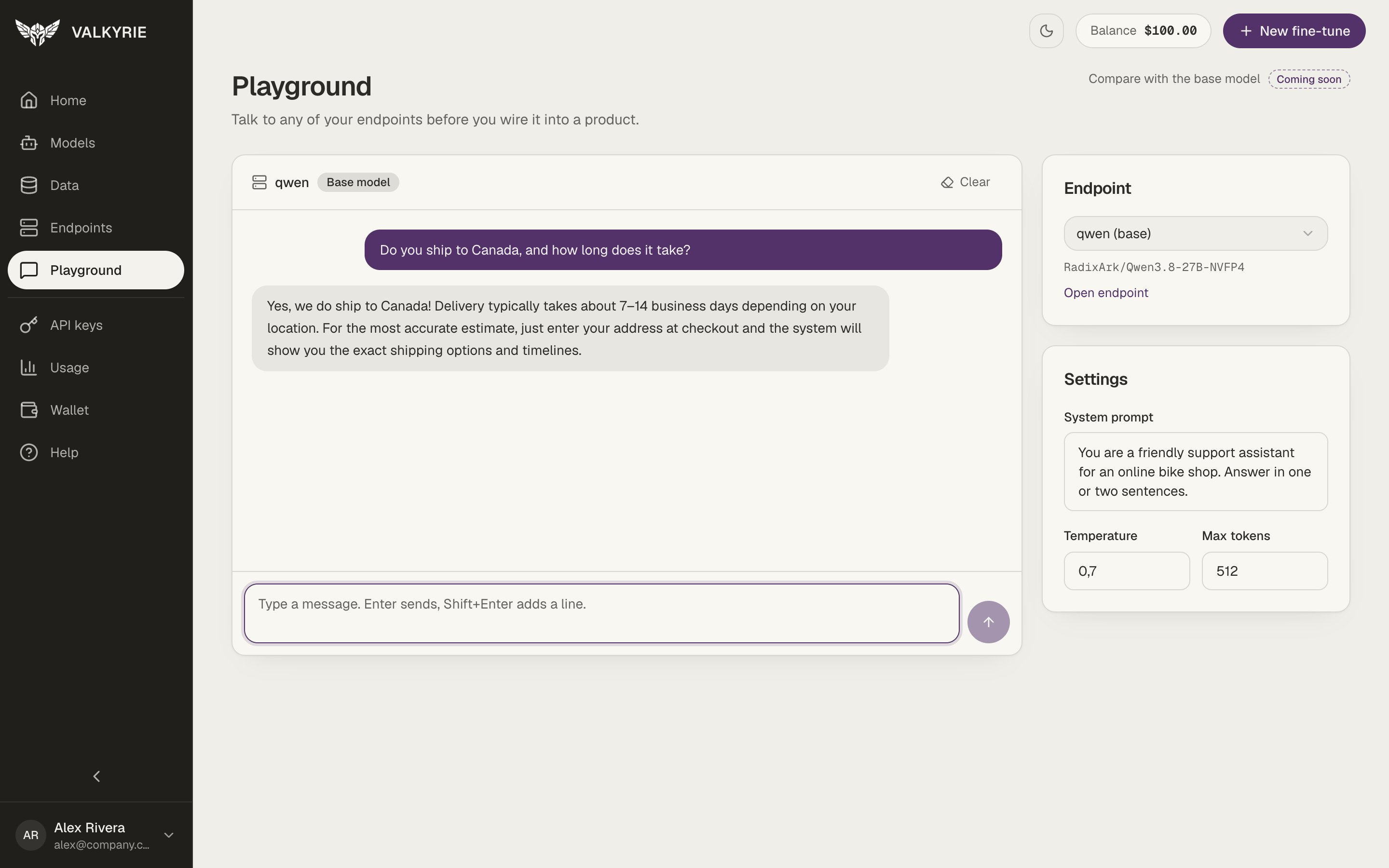
Choose one of your running endpoints in the **Endpoint** card. Base-model
endpoints are marked **(base)**. **Open endpoint** takes you to its page.
Add a **System prompt** with instructions for every reply, and set the
**Temperature** and **Max tokens**.
Type a message and press **Enter** to send it. **Shift+Enter** adds a new line.
Click **Clear** to start over.
If you have no running endpoint, the Playground shows links to deploy one. See
[Endpoints](/dashboard/endpoints).
Getting an empty reply? Some models think before they answer, and that thinking
counts toward **Max tokens**. If the limit is low, the model can use it all up
before it writes the answer. Raise **Max tokens** (the default of 512 is enough
for most questions) and send the message again.
Messages you send here are real requests to your endpoint, so the endpoint must be
running. Comparing a fine-tuned version side by side with its base model is marked
**Coming soon**.
This documentation is built and hosted on [Mintlify](https://mintlify.com), a developer documentation platform.
## Chat with an endpoint
Choose one of your running endpoints in the **Endpoint** card. Base-model
endpoints are marked **(base)**. **Open endpoint** takes you to its page.
Add a **System prompt** with instructions for every reply, and set the
**Temperature** and **Max tokens**.
Type a message and press **Enter** to send it. **Shift+Enter** adds a new line.
Click **Clear** to start over.
If you have no running endpoint, the Playground shows links to deploy one. See
[Endpoints](/dashboard/endpoints).
Getting an empty reply? Some models think before they answer, and that thinking
counts toward **Max tokens**. If the limit is low, the model can use it all up
before it writes the answer. Raise **Max tokens** (the default of 512 is enough
for most questions) and send the message again.
Messages you send here are real requests to your endpoint, so the endpoint must be
running. Comparing a fine-tuned version side by side with its base model is marked
**Coming soon**.
This documentation is built and hosted on [Mintlify](https://mintlify.com), a developer documentation platform.