> ## Documentation Index
> Fetch the complete documentation index at: https://docs.valkyrieapp.azumo.com/llms.txt
> Use this file to discover all available pages before exploring further.
# Quota
> Your prepaid balance and every charge Valkyrie has billed against it.
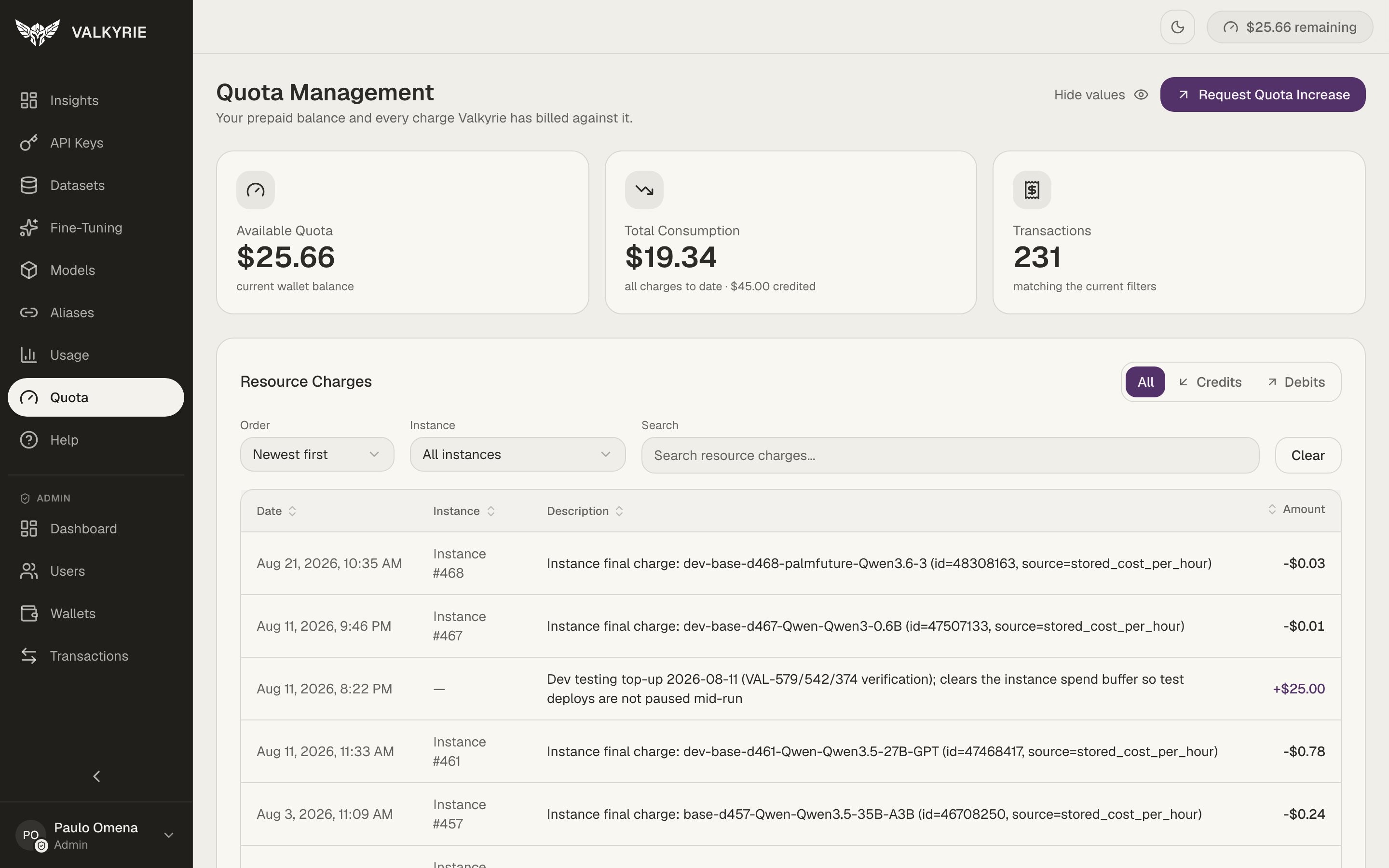
The **Quota** screen (Quota Management) is Valkyrie's billing hub. It shows your
prepaid balance and every charge billed against it. For how billing works
conceptually, see [Quota & billing](/guides/wallet-billing).
 ## The headline cards
| Card | Meaning |
| --------------------- | ---------------------------------------------------------- |
| **Available Quota** | Your current wallet balance |
| **Total Consumption** | All charges to date, alongside how much has been credited |
| **Transactions** | The number of ledger entries matching your current filters |
A **Hide values** toggle blanks the amounts for screen-sharing, and **Request Quota
Increase** starts a request for more balance.
## Resource charges
The table lists every credit and debit, filterable by **All / Credits / Debits**,
orderable, and searchable by instance. Each row shows the date, the instance the
charge came from, a description (for example an instance's final hourly charge), and
the amount. This is the auditable ledger your balance is computed from.
Charges are per-use, for example, a deployment's GPU time is billed per hour it
runs. Stopping idle deployments is the main lever on your spend; see
[Models](/dashboard/models).
## The headline cards
| Card | Meaning |
| --------------------- | ---------------------------------------------------------- |
| **Available Quota** | Your current wallet balance |
| **Total Consumption** | All charges to date, alongside how much has been credited |
| **Transactions** | The number of ledger entries matching your current filters |
A **Hide values** toggle blanks the amounts for screen-sharing, and **Request Quota
Increase** starts a request for more balance.
## Resource charges
The table lists every credit and debit, filterable by **All / Credits / Debits**,
orderable, and searchable by instance. Each row shows the date, the instance the
charge came from, a description (for example an instance's final hourly charge), and
the amount. This is the auditable ledger your balance is computed from.
Charges are per-use, for example, a deployment's GPU time is billed per hour it
runs. Stopping idle deployments is the main lever on your spend; see
[Models](/dashboard/models).