
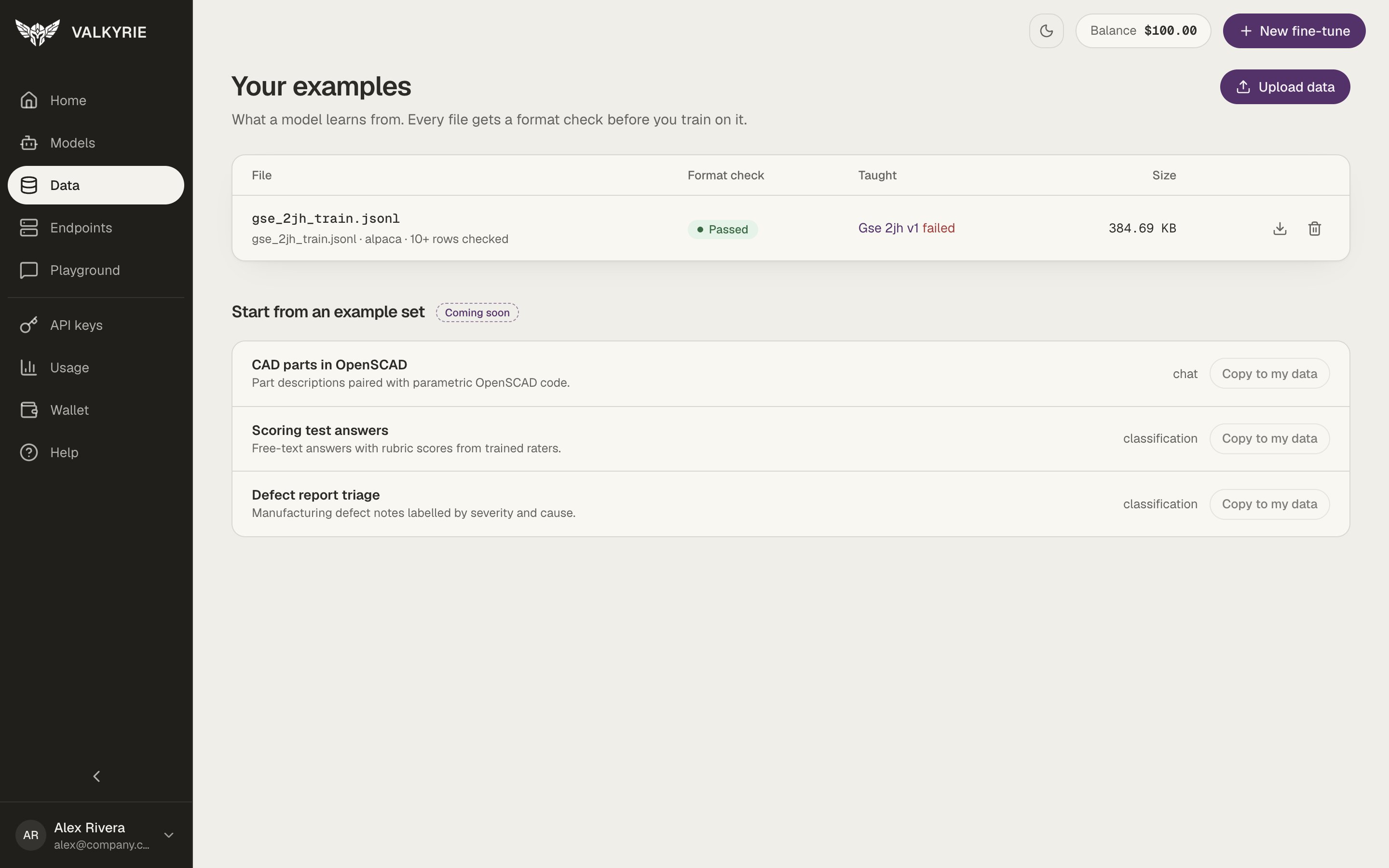
Your examples: every file with its format check and what it taught.
The file list
Each row shows:
Use the icons at the end of a row to download or delete the file. Upload data
at the top right adds a new one. Ready-made example sets (“Start from an example
set”) are marked Coming soon.
A dataset’s page
Click a file to open it.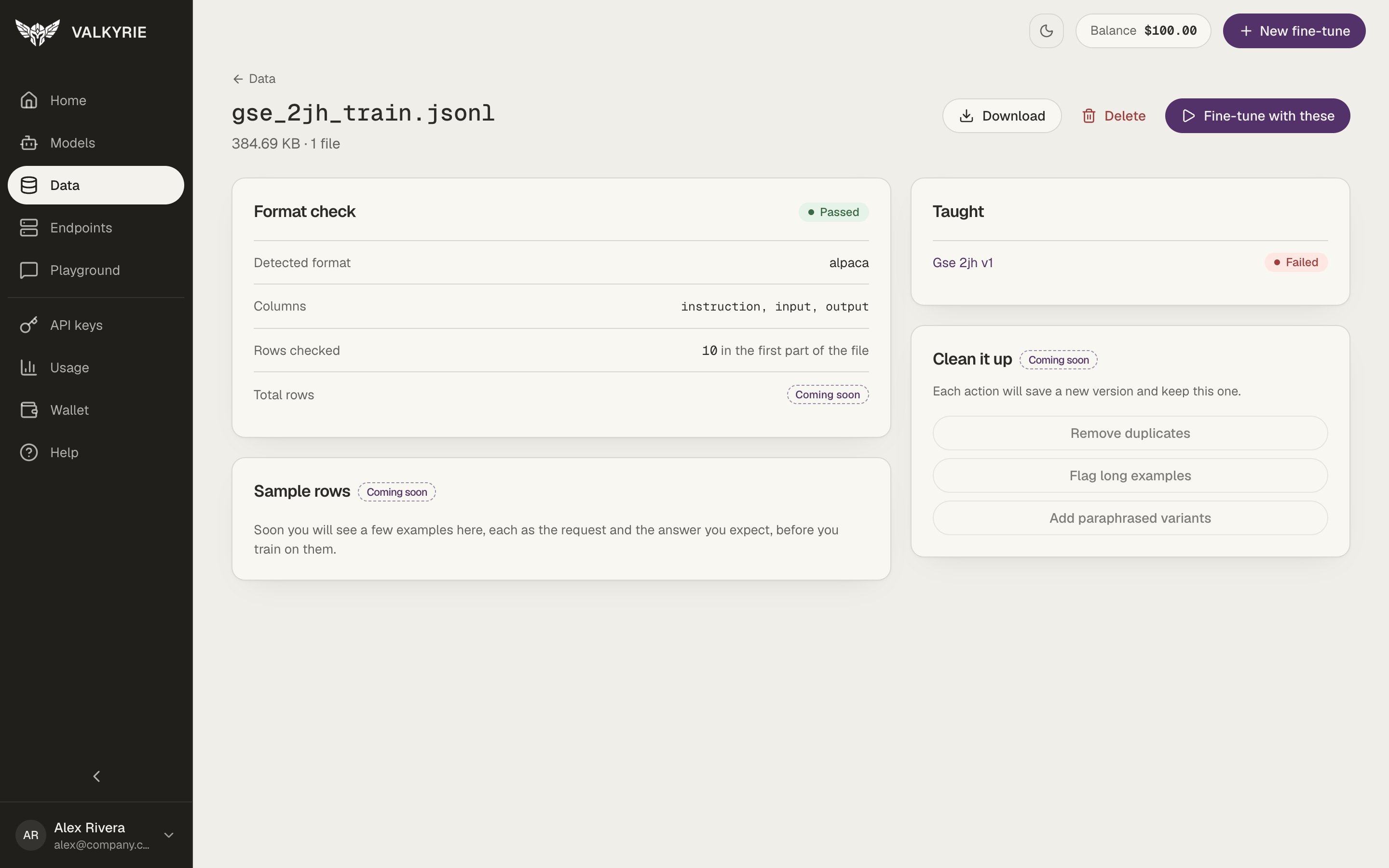
A dataset's page: format check, what it taught, and the next step.
- Format check shows the result, the Detected format (for example alpaca or chat), the Columns found, and the Rows checked in the first part of the file. The total row count is marked Coming soon.
- Taught lists every model version trained on this file, with its status. Click one to open it in Models.
- Sample rows and Clean it up (remove duplicates, flag long examples, and more) are marked Coming soon.
Deleting a file does not affect models you have already trained from it.
Upload examples
Click Upload data to open Upload examples.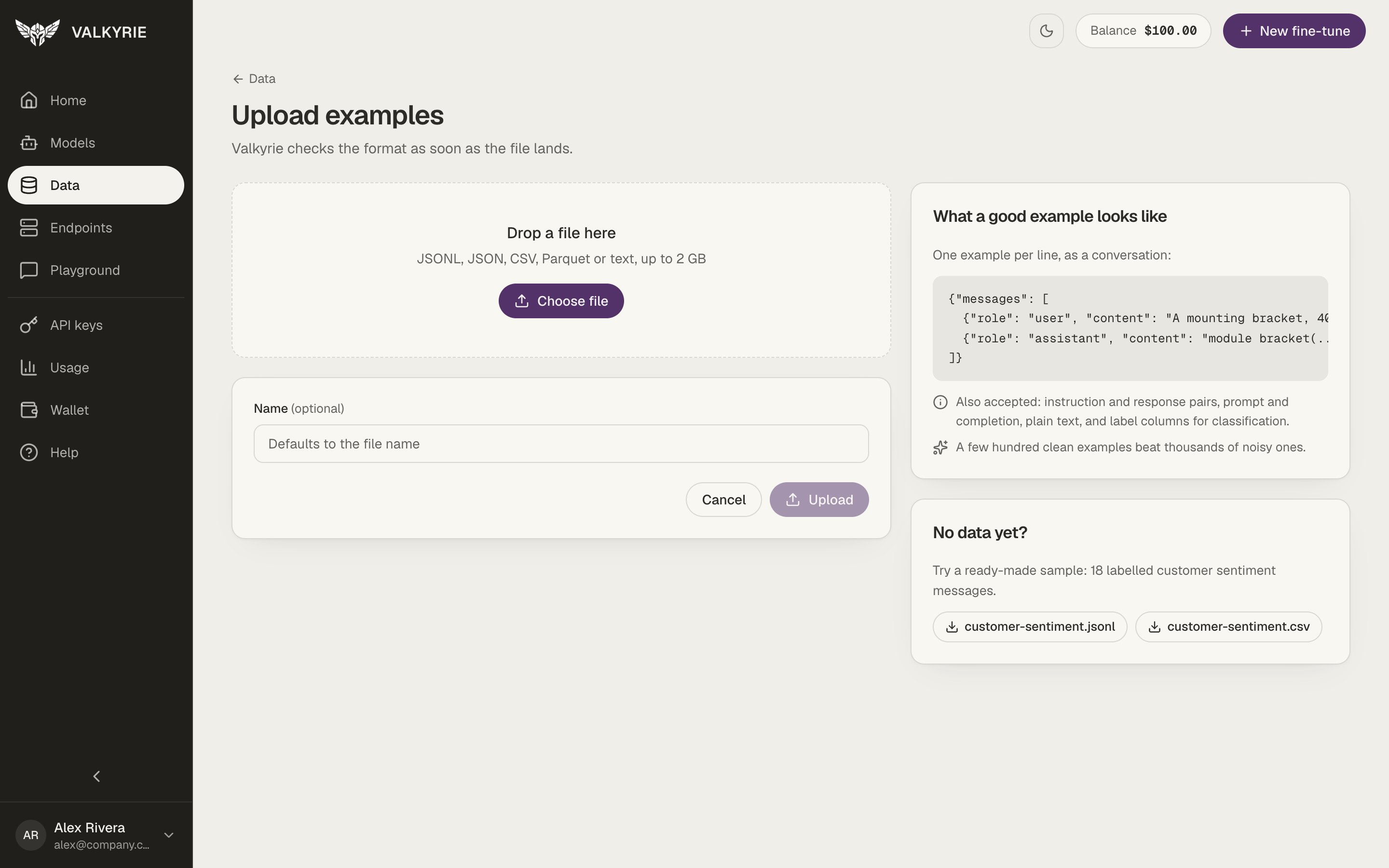
Upload examples: drop a file and Valkyrie checks it right away.
1
Choose a file
Drop a file on the page or click Choose file. Valkyrie accepts JSONL, JSON,
CSV, Parquet, or text files up to 2 GB.
2
Name it (optional)
The name defaults to the file name.
3
Upload
Click Upload. Valkyrie checks the format as soon as the file lands and opens
the dataset’s page with the result.