
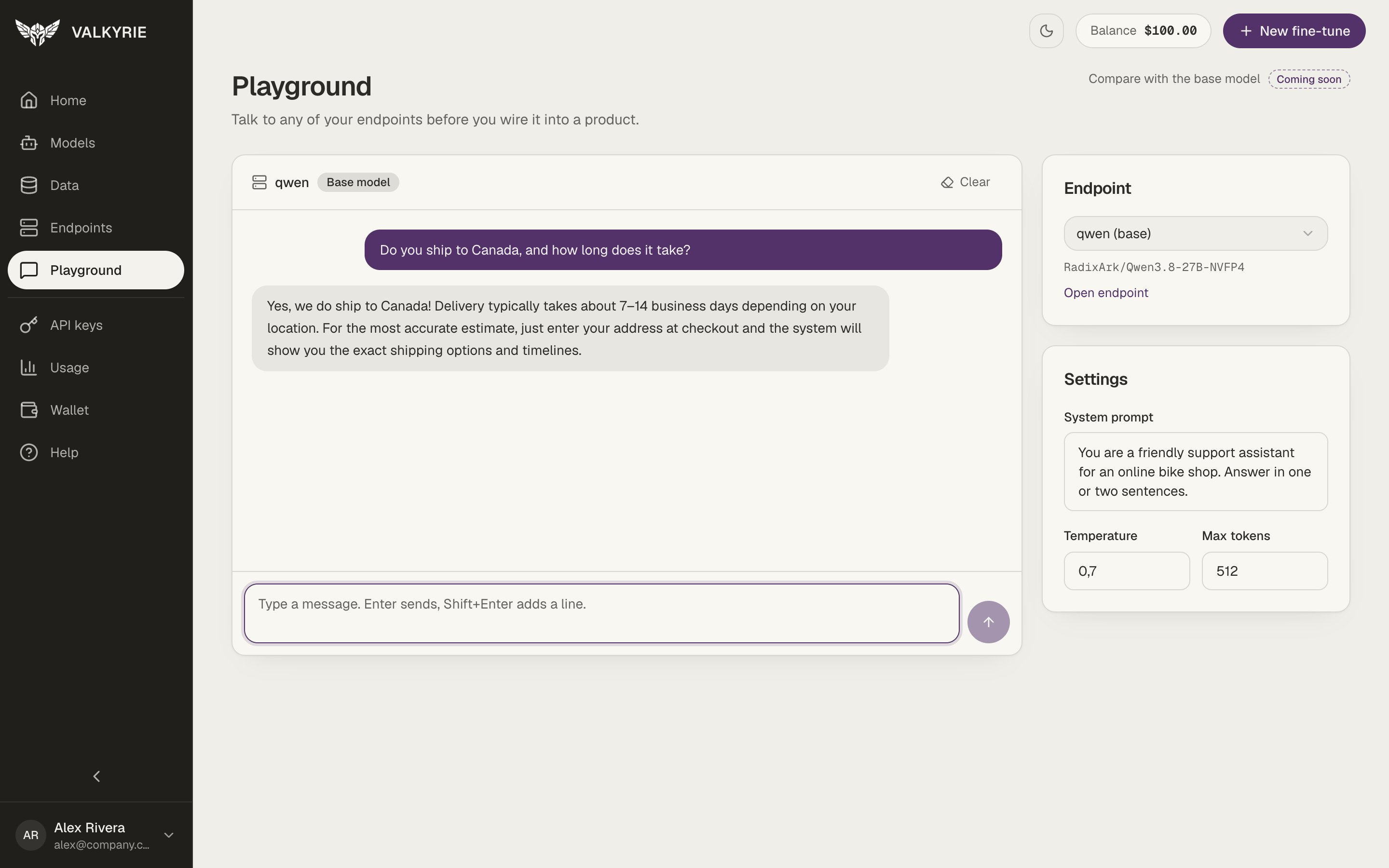
The Playground: a conversation with an endpoint, with a system prompt set on the right.
Chat with an endpoint
1
Pick an endpoint
Choose one of your running endpoints in the Endpoint card. Base-model
endpoints are marked (base). Open endpoint takes you to its page.
2
Adjust the settings (optional)
Add a System prompt with instructions for every reply, and set the
Temperature and Max tokens.
3
Send a message
Type a message and press Enter to send it. Shift+Enter adds a new line.
Click Clear to start over.
Messages you send here are real requests to your endpoint, so the endpoint must be
running. Comparing a fine-tuned version side by side with its base model is marked
Coming soon.