
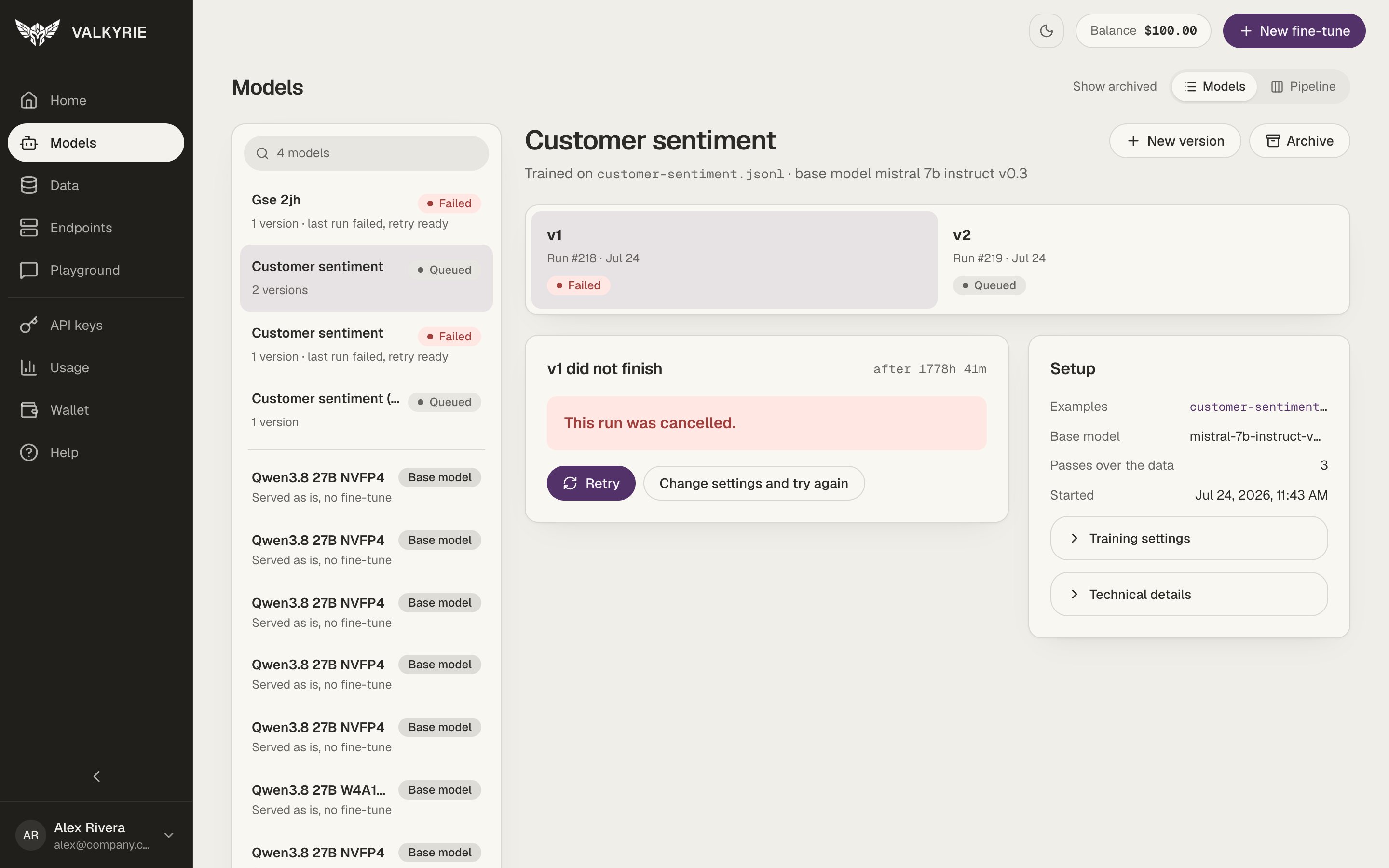
Models: the list on the left, the selected model and its versions on the right.
The model list
The left column lists your models, with a search box at the top. Each one shows a status pill for its latest version:
Below your fine-tuned models, the list also shows your base-model endpoints with a
Base model pill (“Served as is, no fine-tune”), plus a Deploy a base model
link.
A model and its versions
Select a model to see it on the right:- Its name and, for the version you have open, a line such as Trained on
customer-sentiment.jsonl· base model Qwen2.5 7B Instruct. - New version, which opens New fine-tune set to train this model’s next version, with the open version’s data and base model filled in (change either if you like), Rename (see Rename a model), and Archive (see Archive a model or version).
- A strip of versions. Each one shows its run number, date, and status. Click a version to open it below.
- Training
- Failed
- Completed
The training stages and a progress bar, with an option to cancel the run. See
While it trains.
Training loss
The Training loss chart shows how the error on your examples fell over the run, live while it trains and on finished versions. Lower is better, but loss alone does not prove the model is better at your task: that is what the test results are for.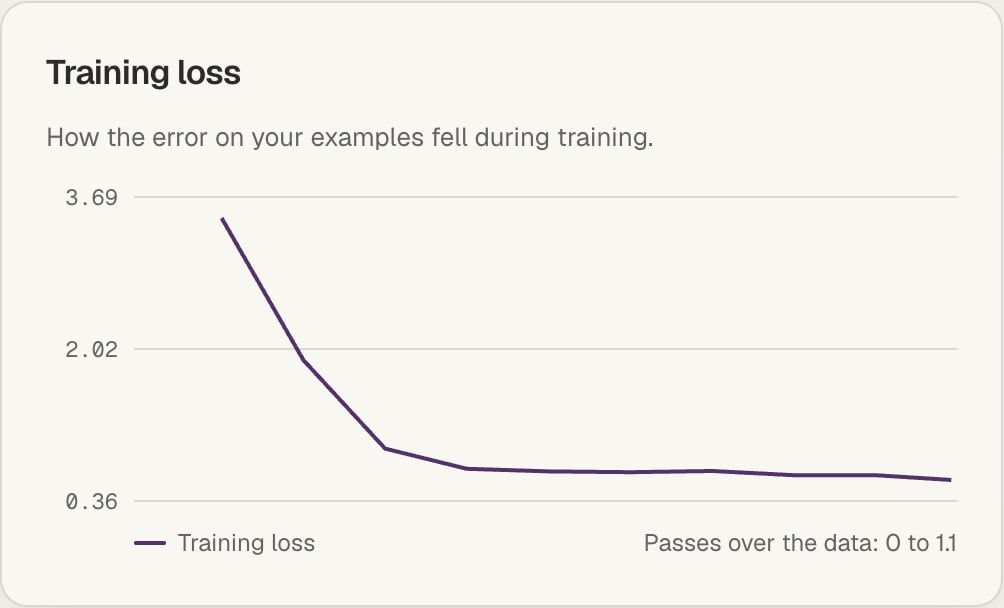
Training loss over the run.
Test results
When a version was trained with Test it on turned on, Valkyrie holds back part of your examples, trains on the rest, and then answers the held-back examples twice: once with the base model and once with your version. The v1 against the base model card shows:- The gain, in points: how much better your version’s answers match your examples than the base model’s.
- Answer match (how many words each answer shares with yours), Exact answers, and the Error (loss) on the held-back examples, for both.
- A few examples side by side: what you expected, what the base model said, and what your version said.
Checks
If you picked checks and targets on New fine-tune, the card adds a Checks table, headed with how many targets were met, for example 2 of 3 targets met. For each check it shows:- The share of held-back answers that passed it, for the Base model and for your version. Not measured means no answer could be scored for that check.
- The Target, with Met or Missed for your version. A check without a target shows None.
- For an answer time check, your version’s average time per answer, such as 850 ms on average.
Pipeline view
Use the Models | Pipeline toggle at the top right to switch to Pipeline, titled From data to endpoint. Each row is one model, laid out across four columns:- Data: the examples it was trained on.
- Training: the status of the latest run, with Retry when it failed.
- Results: whether the version is ready to deploy, with its gain over the base model when it was tested.
- Live: whether it is deployed.
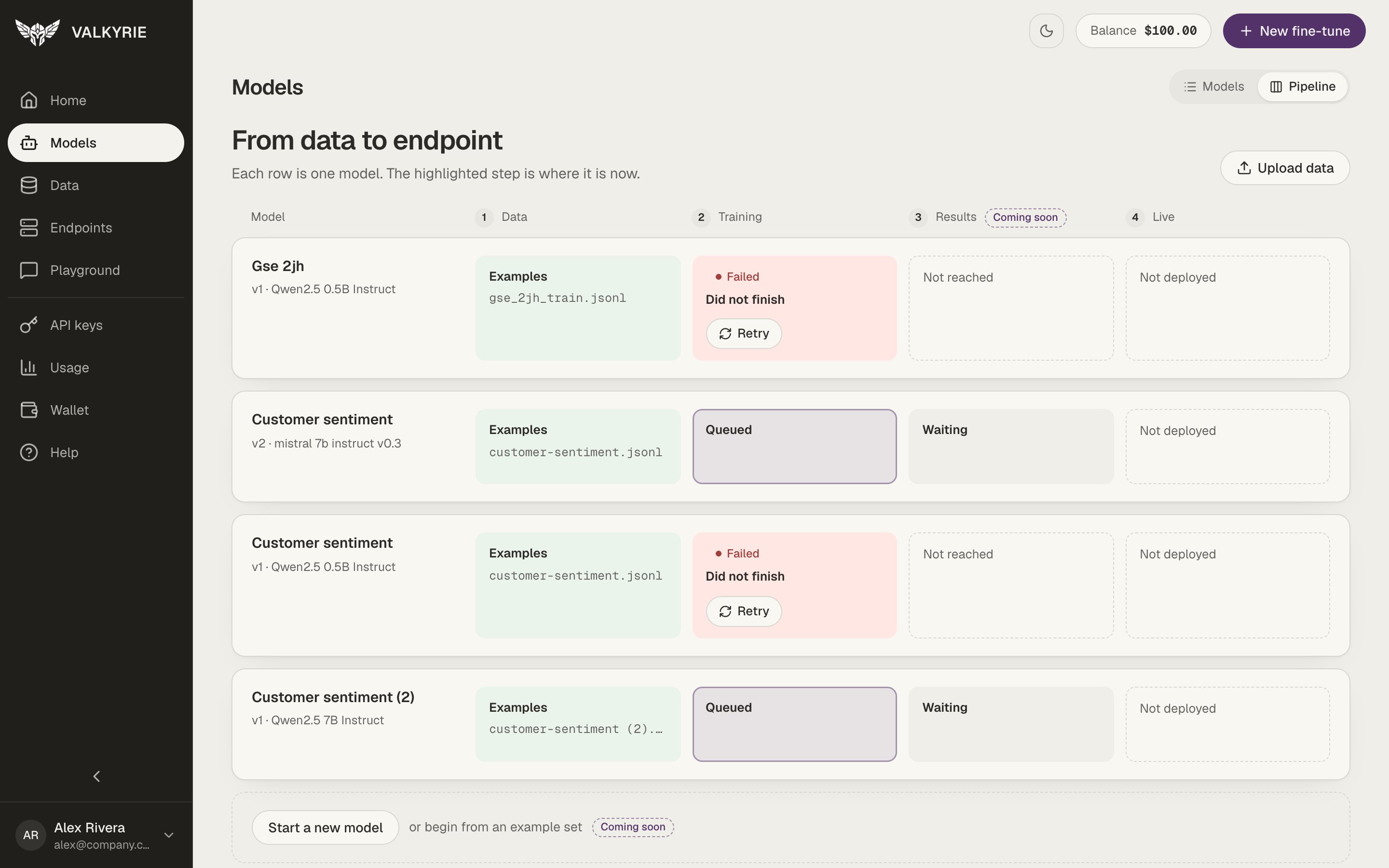
Pipeline view: one row per model, with the current step highlighted.
Rename a model
A model is named after its dataset unless you give it a name: in the Model name field of New fine-tune, or by the AI assistant, which names each fine-tune after what it does. To change it, select the model and click Rename, type the new name, and click Save name. Every version of the model takes the new name. Endpoints and their URLs don’t change. You can also ask the AI assistant to rename it. Each of your models has its own name: you can’t give a model the name of another one. Version numbers stay as they are, even when you archive a version.Archive a model or version
Archiving tidies your list without losing anything.1
Open the model
Select the model on the Models screen and click Archive.
2
Choose what to archive
In the dialog, archive just the selected version or the whole model.