
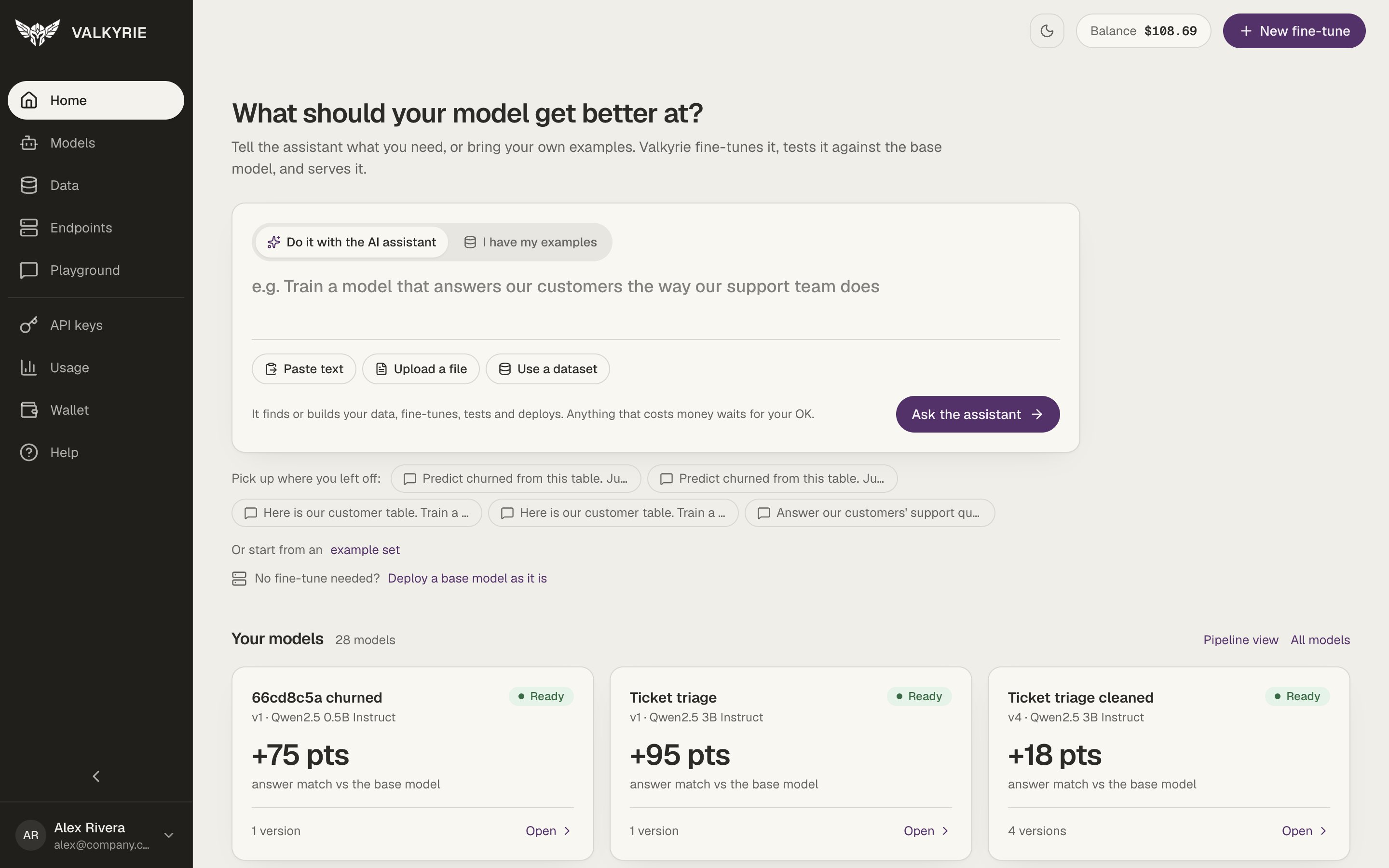
Home: tell the assistant what you need, or bring your own examples.
Home
Home asks What should your model get better at? and gives you one box to start from. Write what you need, then choose how to go with the switch at the top of the box:- Do it with the AI assistant: the AI assistant does the work for you. Attach a spreadsheet or text, say what you need, and it builds the training data, prices the run and prepares the fine-tune for you to confirm.
- I have my examples: pick your dataset, the base model, and the recipe (how many passes over your data), then Start fine-tune opens New fine-tune with those choices already filled in.
AI assistant
Fine-tune by chatting: attach a spreadsheet or text, say what you need, and confirm.
Models, versions, and base models
Two ideas run through the whole dashboard:- A model is one thing you are teaching, such as “Ticket triage”. Each training run is a version of it (v1, v2, and so on), so you can train again, with better examples or another base model, and keep every result side by side.
- A base model is served as it is, with no fine-tune. A fine-tuned model is trained on your examples.
The navigation
The left sidebar has two groups. The first follows the path from data to a live model:
The second group covers access, activity, and billing:
Aliases are opened from the Aliases button on the
Endpoints screen.
Valkyrie platform staff also see a Platform section (Dashboard, Workspaces,
Users, Wallets, Transactions).
The top bar
The top bar is the same on every screen:- The workspace switcher, showing the workspace you’re in. Use it to switch workspaces, create one, and answer invitations. See Workspaces and teams.
- A theme toggle that switches between light and dark.
- A Balance chip with the active workspace’s wallet balance.
- A New fine-tune button, so you can start training from anywhere. It’s hidden for roles that can’t start GPU work.
Help center
The Help screen has searchable, in-app guides covering getting started, API keys, wallet and billing, datasets, fine-tuning, models, and troubleshooting, plus a way to send a message to support.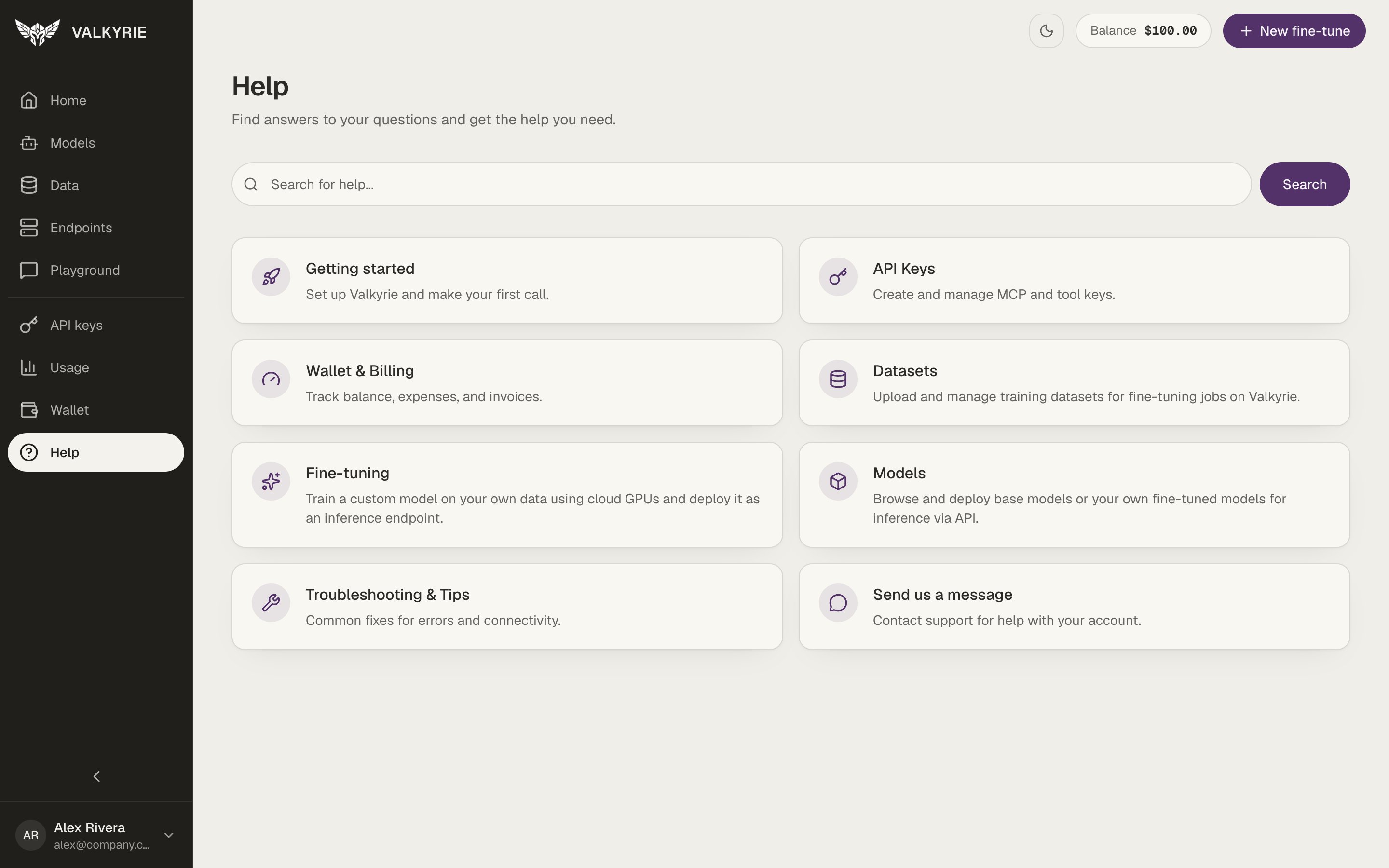
The in-app Help center.